
Sallyport
Know what your Mac sends out.
Coming soon to the Mac App StoreSallyport is an outbound firewall for macOS. When an app tries to connect to the internet, Sallyport tells you which app it is and where it's going, lets you allow or deny it, and remembers your answer.
A sally port is the small, guarded gate in a castle wall: the way out, watched.
What it does
Alerts when apps connect
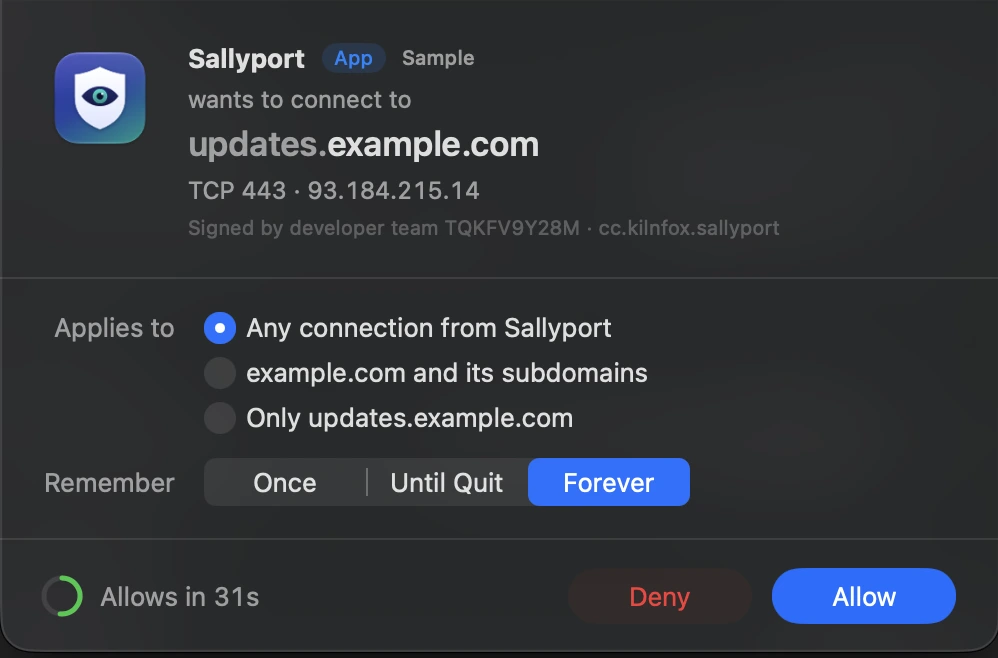
When an app without a rule connects, an alert names the app and the destination. Allow or deny it once, until the app quits, or forever.
Rules you control
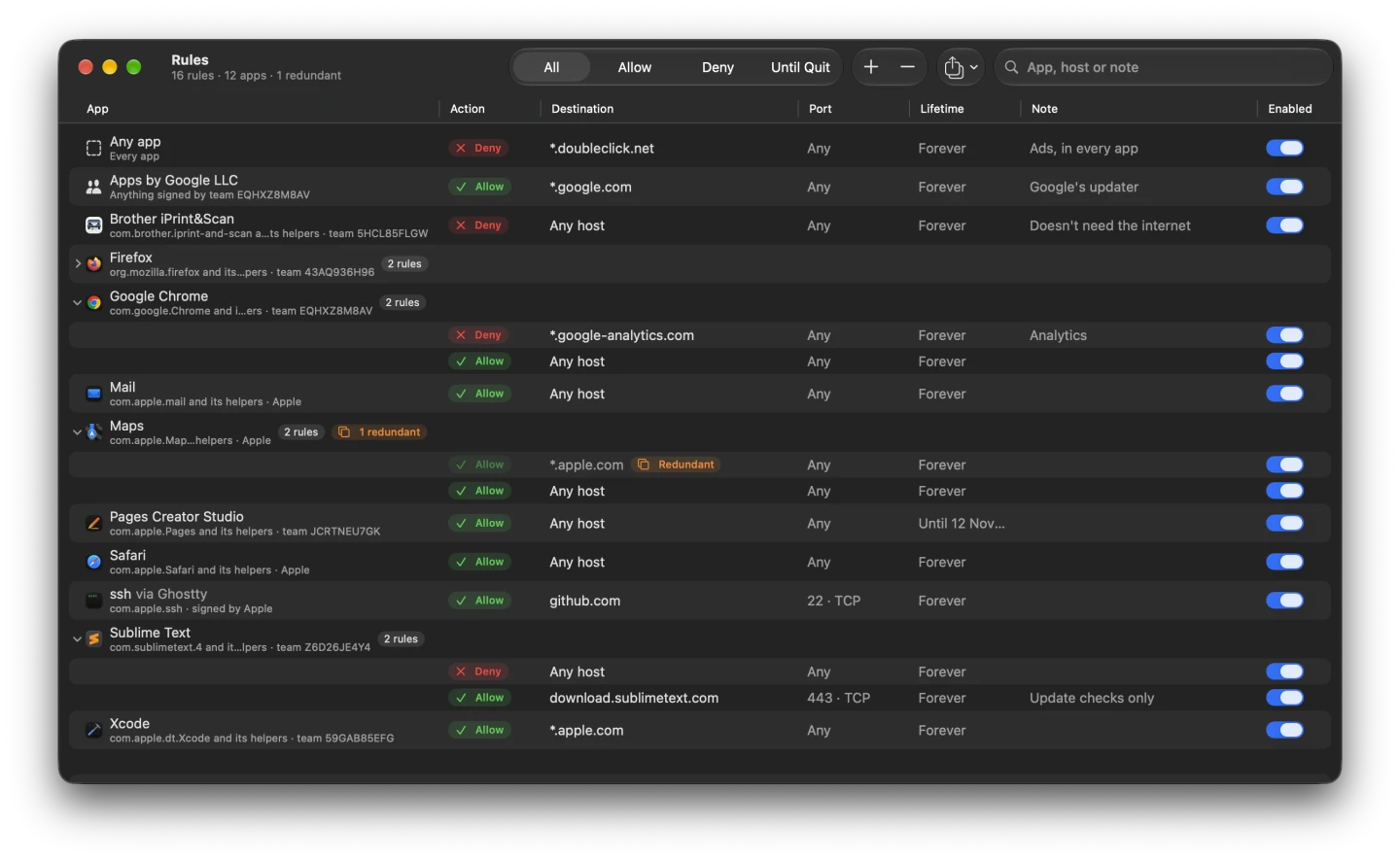
Match by app, by developer, or by the app that launched it; by host name, domain or IP address; and by port and protocol. Rules can expire on their own.
Three modes
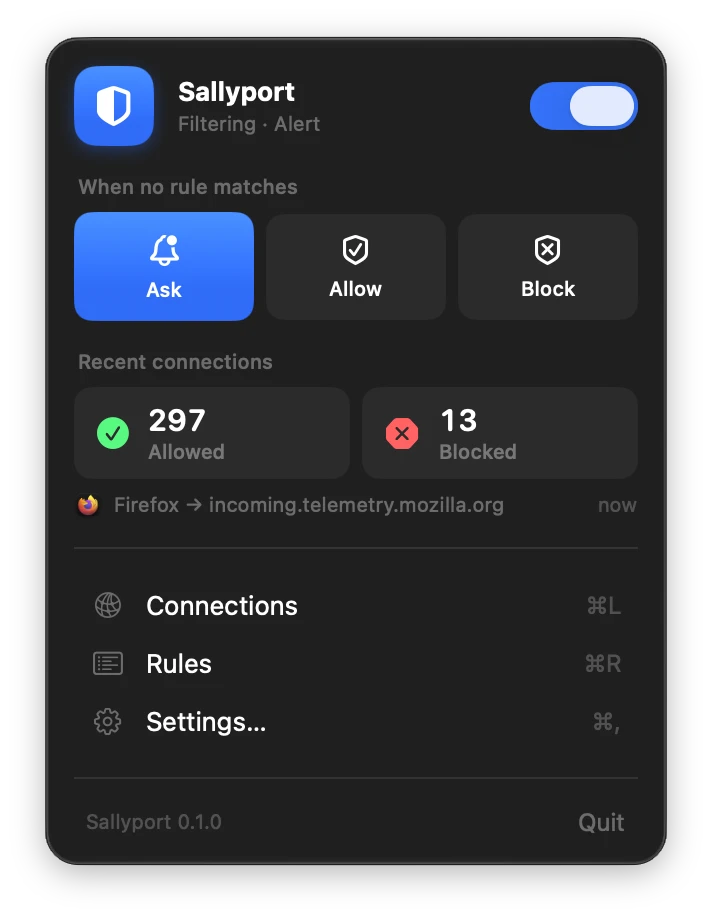
Alert asks you. Silent — Allow lets unknown connections through. Silent — Deny blocks them. Switch any time from the menu bar.
See what's happening
The Connections window lists recent connections, allowed and blocked, with the app and destination of each.
A tidy rule list
Sallyport spots rules made unnecessary by broader ones, so you can delete them without changing what's allowed. Export and import your rules as a file.
Private by design
Everything happens on your Mac. No account, no analytics, and Sallyport never sends your data anywhere. Privacy policy
Up close
Getting started
- Open Sallyport, click its shield in the menu bar, and turn on the switch at the top of the panel.
- macOS asks you to allow Sallyport's network extension: open System Settings → General → Login Items & Extensions and allow it.
- When macOS asks whether Sallyport may filter network content, click Allow.
Sallyport starts in Alert mode. macOS's own services, like software updates and iCloud, connect without alerts unless you change that in Settings → Advanced.
How it works
Sallyport uses Apple's Network Extension framework. Its content filter runs as part of macOS and checks each new connection against your rules as it starts. The filter runs on its own, even when the Sallyport app isn't open; the menu bar app is where you answer alerts and manage rules.
Requires macOS 15 or later, on Apple silicon or Intel.
Help
Questions, problems or ideas: see Support.